
Download 5DFly Photo Design – Photo Calendar, Greeting Card, Invitation Design, Personalized Printables, Creative Design Tool
Overview
5DFly Photo Design is a productivity-focused mobile application designed to streamline the creation of personalized printables such as photo calendars, greeting cards, and invitations. The app serves as a creative design tool that empowers users to transform personal memories and special moments into tangible, visually appealing keepsakes. It is particularly valuable for individuals seeking a straightforward way to craft custom designs without requiring professional graphic design experience. The target audience includes hobbyists, event planners, families, and anyone who values personalization in their print materials.
With its user-friendly interface and guided workflows, 5DFly Photo Design lowers the barrier to entry for digital design, making it accessible to beginners while still offering enough flexibility for more experienced users. Real-world applications include creating annual photo calendars for family members, designing birthday or holiday cards, and generating event invitations for weddings, baby showers, or corporate gatherings. The app fills a niche in the mobile productivity ecosystem by combining ease of use with functional versatility, enabling users to complete design tasks efficiently on their smartphones or tablets.
The developer, 5DFly, has positioned this app as a dedicated solution for visual storytelling through printables. Although specific details about the company’s background were not provided, the consistent release and update history suggest a stable development focus. The app’s long-standing presence since its release on October 1, 2010, indicates reliability and user retention over time.
Key Features & Functionality
- Easy to Use Interface: The app features an intuitive layout that minimizes complexity, allowing users to navigate tools and functions with minimal learning curve. This design philosophy enables users to focus on creativity rather than technical operations.
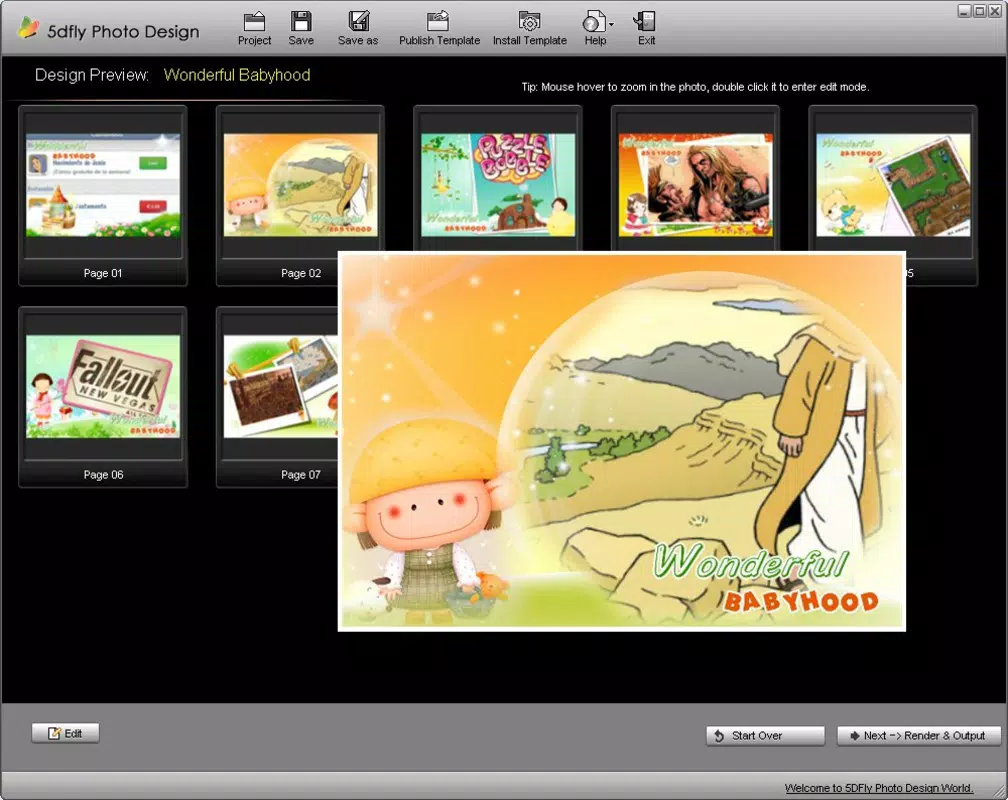
- Guided Steps and Tutorials: Built-in step-by-step instructions walk users through each phase of the design process, from selecting a template to finalizing the layout. These tutorials are especially beneficial for those new to design, reducing the likelihood of errors and enhancing confidence.
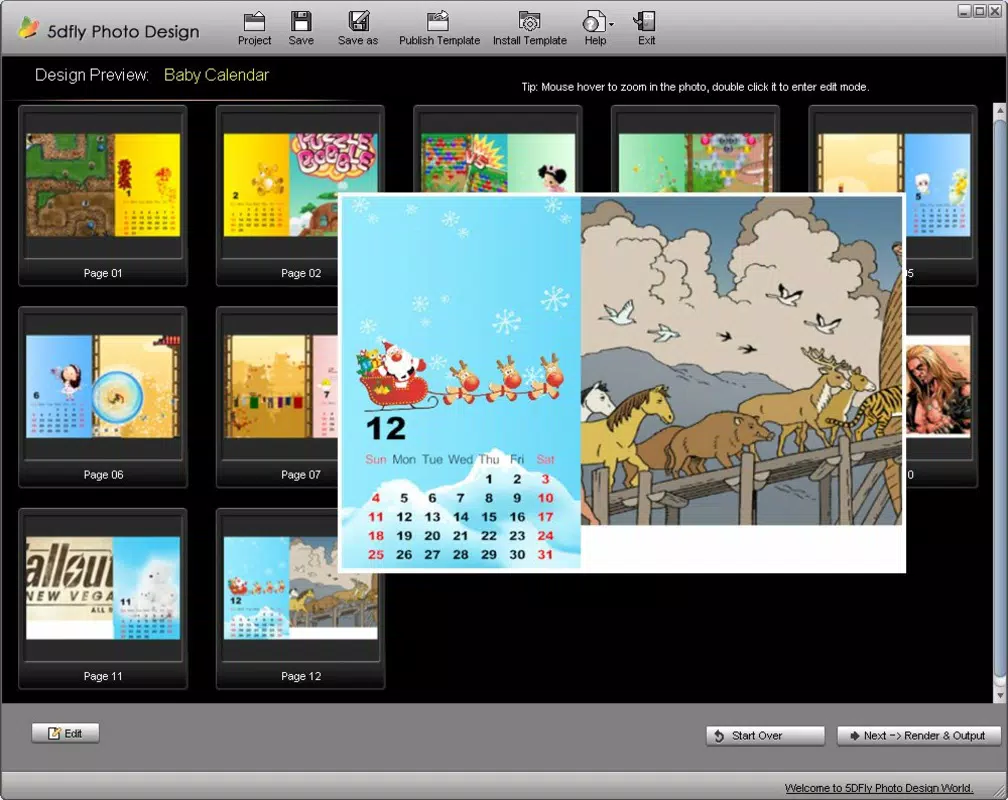
- Variety of Templates: A diverse selection of templates is available for different occasions, including birthdays, holidays, and milestone events. This ensures users can find a suitable starting point that aligns with their theme or message.
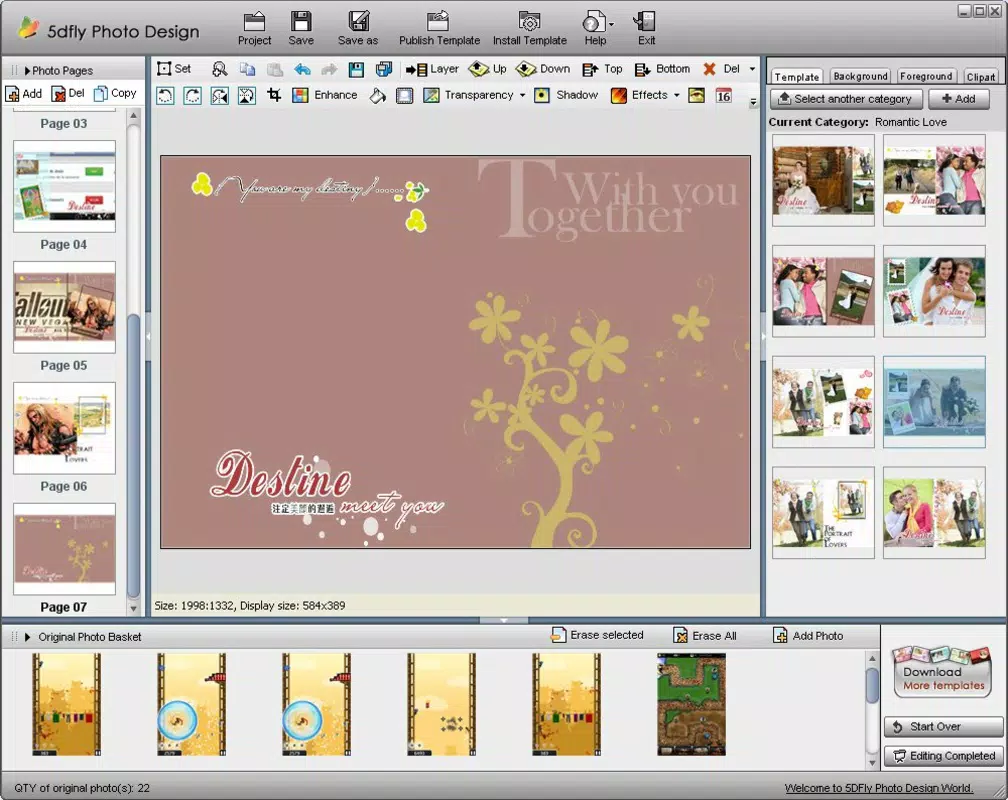
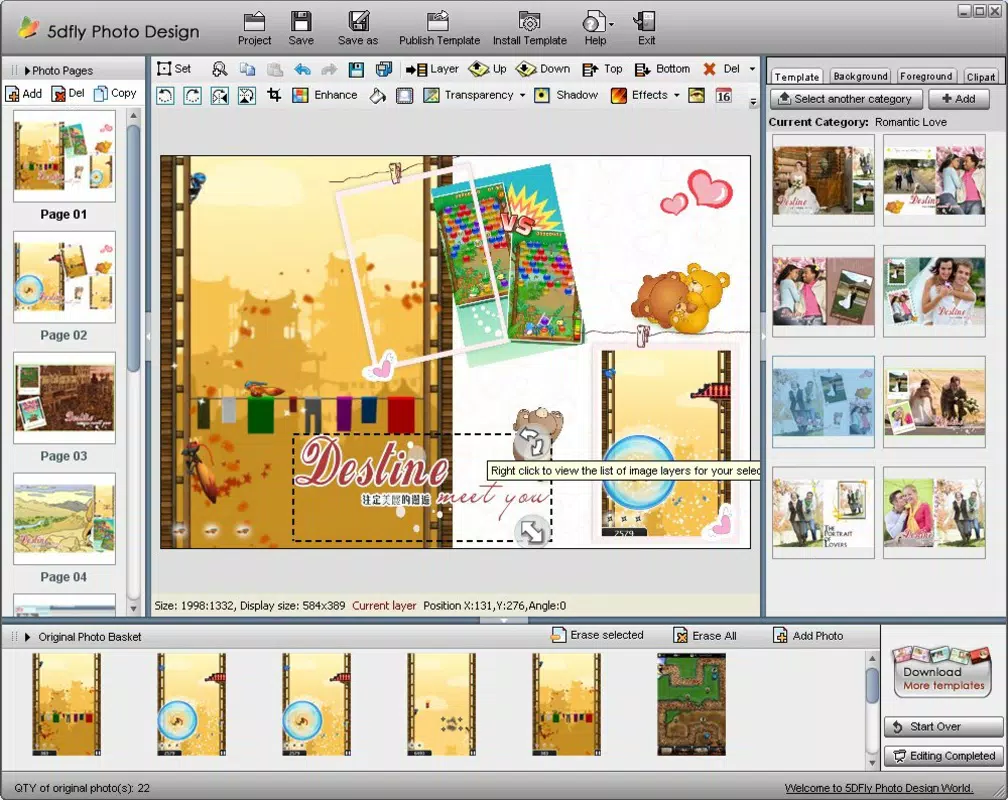
- Customization Options: After selecting a template, users can insert personal photos, adjust text, modify colors, and reposition elements to match their preferred aesthetic. This level of control supports true personalization and creative expression.
- Multi-Purpose Design Tool: Beyond calendars and cards, the app supports the creation of invitations and other printable materials. This adaptability makes it a versatile asset for both personal and light professional use.
For example, a user planning a birthday party can select a festive template, insert family photos, add a personalized message, and export the design for printing. Similarly, someone wanting to preserve memories can compile a year’s worth of photos into a custom calendar with monthly themes. These practical applications highlight the app’s real-world utility and value in everyday life.
Interface, UX & Performance
The interface of 5DFly Photo Design is structured around simplicity and visual clarity. The layout prioritizes accessibility, with clearly labeled icons and a logical flow between design stages. Navigation is designed to be intuitive, guiding users from template selection to final export without unnecessary detours.
Visual style emphasizes clean lines and uncluttered screens, allowing users to focus on their creative work. The app uses consistent color schemes and spacing to maintain a professional yet approachable aesthetic. Interaction elements such as drag-and-drop photo placement and tap-to-edit text fields contribute to a responsive and fluid experience.
Although the developer did not list formal performance metrics, the app’s lightweight file size of 42.5 MB suggests optimized resource usage. This makes it suitable for a wide range of Android devices, including mid-tier and older models. The app appears to maintain stability during typical design tasks, with no reported issues related to crashes or freezes. Responsiveness is consistent across different screen sizes, ensuring a reliable experience whether using a smartphone or tablet.
Users can expect smooth transitions between design steps, with minimal lag during photo loading and layout adjustments. While no official benchmarks were provided, the app’s long-term availability and user base indicate a stable performance profile over time.
Platform Compatibility & Technical Requirements
5DFly Photo Design is available exclusively on the Android platform. The current version is 1.2.5, with a file size of 42.5 MB. This relatively compact size makes it suitable for devices with limited storage space, especially when compared to other graphic design applications.
Specific minimum OS requirements were not listed by the developer. However, given the app’s release date in 2010 and continued availability, it likely supports a broad range of Android versions, including older ones. Users are advised to check compatibility with their device’s operating system before installation. The app does not appear to require advanced hardware features such as high-resolution displays or specialized sensors.
As no additional technical specifications were disclosed, users should rely on standard Android app installation procedures. The app is available for free, making it accessible to a wide audience without financial barriers. Future updates may introduce new features or compatibility improvements, but no details were provided.
Pros and Cons
- Intuitive interface suitable for beginners and experienced users
- Step-by-step tutorials enhance usability and reduce learning time
- Wide variety of templates for diverse occasions and themes
- Flexible customization options for personalization
- Multi-purpose functionality for calendars, cards, and invitations
- Free to download and use
- Lightweight file size improves accessibility on older devices
- No official information on minimum OS version or device compatibility
- No details on cloud sync or export formats beyond basic functionality
- Developer did not provide information on update frequency or future development plans
- Limited visibility into advanced design tools or professional features
- No integration with third-party printing services or online galleries
FAQ
Is 5DFly Photo Design safe to download and install?
Yes, the app is available through official Android channels and has been in use since 2010. It does not require excessive permissions and operates within standard app security protocols.
Can I use 5DFly Photo Design on iOS devices?
Currently, the app is only available on Android. There is no official iOS version or release planned, based on the available information.
Does 5DFly Photo Design require an internet connection?
Basic design functions can be performed offline. However, certain features such as template updates or cloud storage may require an internet connection.
How often is 5DFly Photo Design updated?
The developer has not disclosed the update frequency. The current version is 1.2.5, released in 2010, but the app remains available and functional.
Can I export my designs for printing?
Yes, the app allows users to export their completed designs in standard formats suitable for printing. Specific export options were not detailed in the provided information.
Final Thoughts
5DFly Photo Design stands out as a reliable, user-centric tool for creating personalized printables on Android. Its blend of simplicity, guided workflows, and versatile functionality makes it an ideal choice for users who want to express creativity without technical hurdles. Whether you're crafting a heartfelt greeting card, a nostalgic photo calendar, or a memorable invitation, the app delivers a seamless experience from concept to completion.
While it lacks advanced features and modern integrations, its core strengths—accessibility, ease of use, and affordability—make it a valuable addition to any mobile productivity toolkit. The app remains relevant over a decade after its release, a testament to its enduring design philosophy and practical value.
For anyone seeking a free, straightforward way to bring personal memories to life through print, 5DFly Photo Design offers a compelling solution. Download 5DFly Photo Design now.


